
How Sublandia Editor Works: Browser-Based Subtitle Editing and Local Processing
Designed for creators. Free to use. Ready to scale.
Built by subtitlers. Powered by freedom!
Introduction
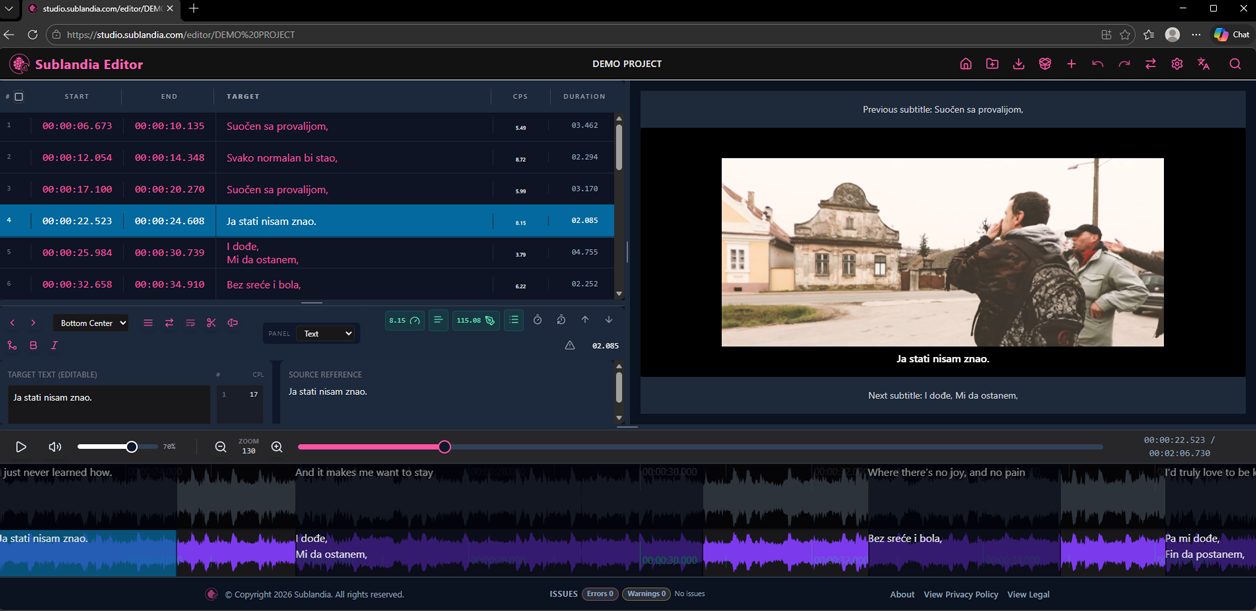
Sublandia Editor is accessed online but all subtitle editing is processed locally inside your browser. This means that video files, subtitle files such as SRT, TTML, DFXP, WebVTT, ASS, and custom subtitle templates remain on your computer and are not uploaded to external servers during editing.
This browser-based architecture provides an additional level of privacy and control, especially for professional subtitle projects that involve sensitive video content or confidential subtitle files.
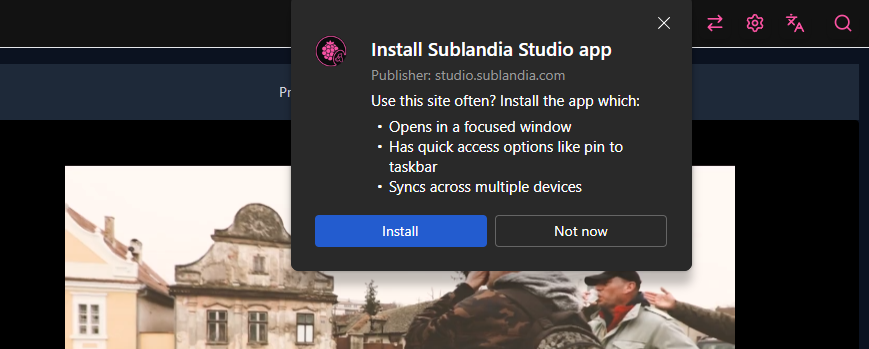
In addition to browser access, Sublandia Editor can also be installed as a Progressive Web App (PWA) on desktop devices. This allows users to work directly from their desktop and continue editing subtitles even without an active internet connection.
 Working in Sublandia Editor
Local Processing and Data Privacy in Sublandia Editor
When using Sublandia Editor, the application interface is loaded online but all project operations happen directly inside your browser environment.
This includes:
loading video files
editing subtitle timing
applying subtitle rulesets
exporting subtitle formats
Because processing is performed on the client side:
video files stay on your local device
subtitle files are not transferred to remote servers
subtitle templates remain inside your browser session
project privacy is maintained during editing
This makes Sublandia Editor especially suitable for professional subtitle workflows where file security matters.
Offline Work with Desktop Installation (PWA)
Sublandia Editor also supports installation as a desktop Progressive Web App (PWA).
After installation, you can:
launch the editor directly from desktop
work without opening the browser manually
continue subtitle editing offline
use local files without internet access
This is particularly useful for:
professional subtitle projects
travel workflows
offline editing sessions
stable performance on long subtitle projects
 FAQ
FAQ
Is Sublandia Editor cloud-based or local?
Sublandia Editor is accessed online, but subtitle editing and file processing happen locally in your browser. Your video and subtitle files remain on your computer.
Are subtitle files uploaded to a server during editing?
No. Subtitle files such as SRT, TTML, DFXP, WebVTT, and ASS stay inside your browser session and are not uploaded during normal editing.
Is video content secure while using Sublandia Editor?
Yes. Video files remain on your local device and are processed directly inside your browser.
Can Sublandia Editor work without internet?
Yes. After installing Sublandia Editor as a Progressive Web App, you can continue working offline.
What is the advantage of desktop installation?
Desktop installation provides faster access, offline editing, and a dedicated workspace for subtitle projects.
Is browser-based subtitle editing suitable for professional work?
Yes. Client-side subtitle processing provides privacy, speed, and compatibility with professional subtitle workflows.
Something on your mind?
Contact us
We are social


