 Sublandia Editor: Ultra-Fast Keyboard Workflow for Professional Subtitle Editing
Sublandia Editor introduces an ultra-fast keyboard workflow that allows professional subtitlers to perform most editing tasks with minimal mouse use. From splitting and merging subtitles to precise timing adjustments, the editor is designed to keep you in the flow—almost like stenography.
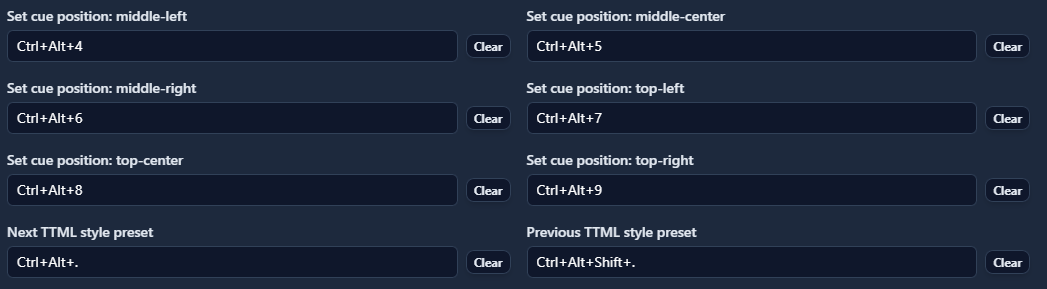
 Ultra-Fast Keyboard Workflow
Key Features
With Sublandia Editor, you can perform the following tasks almost entirely via keyboard shortcuts:
- Split subtitles
- Merge subtitles
- Shift timing
- Extend or shorten cues
- Jump frame-by-frame
- Confirm the next subtitle block
All actions are executed through a very short shortcut sequence, helping users establish a natural rhythm and speed up the editing process significantly.
Why Beginners Need to Be Careful
The editor’s speed can be “dangerous” for beginners:
- Easily shorten a cue too much
- Move a subtitle a few frames without noticing
- Create a chain error in subsequent blocks
Since Sublandia applies changes instantly, beginners often edit faster than they can check the results, which may lead to mistakes.
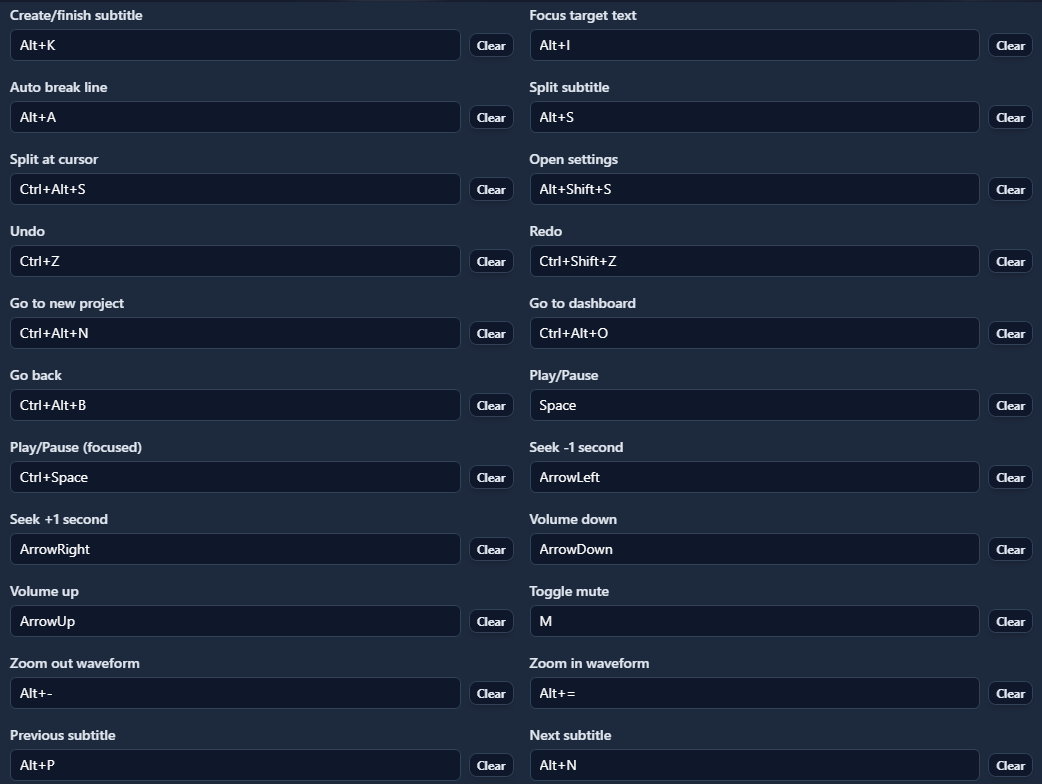
Why Professionals Love It
For experienced users, this workflow saves enormous amounts of time, especially over large projects:
- Fewer clicks per subtitle
- Fewer manual confirmations
- Less workflow interruption and focus loss
On episodes with 800–1,200 subtitle blocks, these efficiencies create a major difference.
Cloud-Like Workflow and Shortcut Efficiency
Overview
Sublandia’s keyboard-centric approach mimics modern cloud-based editors, where speed and precision are key. Professionals report:
“Once you master the shortcut logic, the editor practically flies.”
This means more subtitles can be processed in less time, with fewer errors and minimal fatigue.
 FAQ
FAQ
What is the ultra-fast keyboard workflow in Sublandia Editor?
It is a keyboard-centric editing method that allows users to split, merge, shift timing, extend or shorten cues, jump frames, and confirm blocks with minimal mouse use.
Why is it risky for beginners?
Because the editor applies changes instantly, beginners may make mistakes like shortening cues too much, misaligning subtitles by a few frames, or creating chain errors without noticing.
How does it benefit professional subtitlers?
It drastically reduces clicks, manual confirmations, and interruptions, saving time over large projects with hundreds or thousands of subtitle blocks.
Does this workflow work for long episodes?
Yes. Professionals report massive efficiency gains on episodes with 800–1,200 subtitle blocks, making the editor feel fast and seamless.
Something on your mind?
Contact us